Virtual events have changed how we connect. No longer do we need big rooms or travel far. With AI avatar tools, hosts can create fun, lifelike characters to lead talks, greet guests, and keep crowds excited. These tools use smart tech to make digital people who talk, move, and look real. They help with webinars, conferences, and online parties. In 2025, more groups use them to save time and reach people worldwide.

This guide looks at the best AI avatar tools for hosting virtual events. We pick ones that work well for live chats, pre-made videos, and group fun. Each tool gets a close look, with tips on how to use it. We pull facts from trusted spots like tech blogs and user talks on Reddit and X. Let’s dive in and see how these tools can make your next event shine.
Why Use AI Avatars in Virtual Events?
AI avatars bring events to life in new ways. They act like friendly guides who never tire. Hosts can make an avatar look like themselves or pick a fun character. This keeps things fresh without needing actors or cameras every time.
Think about a big online conference. An avatar can welcome folks in many languages. It can answer quick questions or show slides with smooth moves. Users on Reddit share how avatars join meetings for them, saving hours. One person said it feels like having a twin who handles boring parts.
These tools cut costs too. No flights or hotels for speakers. Plus, they boost fun. Avatars can dance, wave, or change outfits to match themes. A post on X notes how platforms like Roblox use avatars for virtual concerts, pulling in millions.
But not all tools fit every event. Some shine for real-look talks, others for cartoons. We compare them later. First, meet the top picks.
HeyGen: The Go-To for Lifelike Hosts
HeyGen tops many lists for virtual event pros. It makes hyper-real avatars that talk like real people. From a short video of you, it clones your look and voice. Perfect for hosting panels or keynotes.

How HeyGen Works for Events?
Start by uploading a two-minute clip of yourself speaking. HeyGen’s AI builds your digital twin. Then, type a script. The avatar reads it with lip-sync and gestures. It supports 175 languages, great for global crowds.
For live events, use its interactive mode. The avatar chats in real-time via Zoom or Teams. One Reddit user in this thread praised HeyGen for a deepfake demo at work. It opened with a fake bold statement, then switched to real talk to warn about fakes. The crowd loved the twist.
Strengths and Tips
HeyGen feels natural, not robotic. It has templates for event intros or Q&A. Price starts free, then $29 a month for pro features. Tip: Test voice clones early. Clear audio makes it spot-on.
Users say it saves days on video edits. A tech blog calls it the best overall for 2025. Drawback? Custom avatars need paid plans. But for big events, it’s worth it.
In one X chat, folks buzzed about HeyGen’s Zoom link. It lets avatars attend calls solo. Imagine your host greeting early birds while you prep.
HeyGen fits sales meets or training sessions. It turns dry info into lively stories.
Synthesia: Pro Videos for Big Crowds
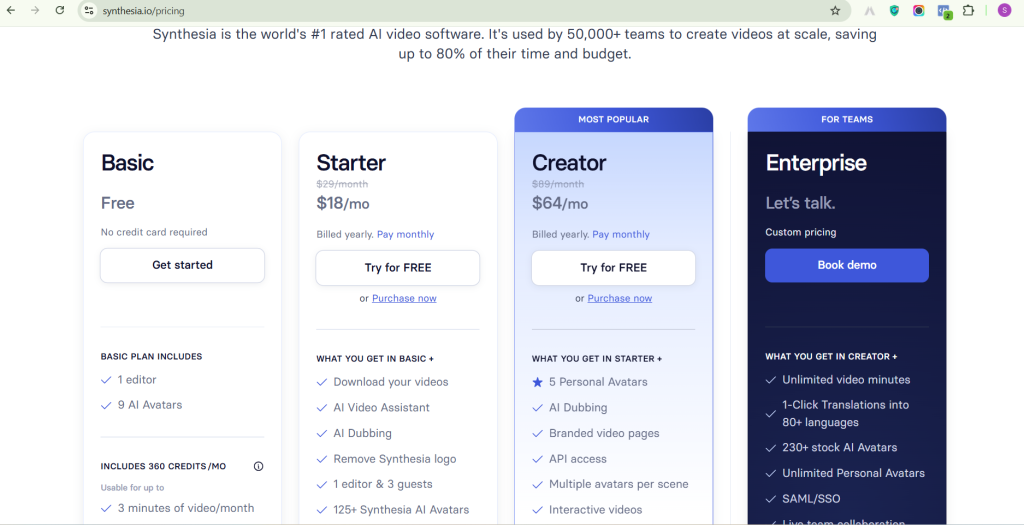
Synthesia shines for polished event videos. It’s like having a studio team in your pocket. Avatars deliver scripts in 140 languages, ideal for worldwide webinars.
Building Event Content with Synthesia
Pick from stock avatars or make your own. Upload a photo, add text, and watch it speak. It adds eye contact and nods for warmth. For events, create welcome reels or session recaps.
A Reddit post from 2024 still sparks talks in 2025. Users dream of avatars in Zoom jobs. One said it could handle white-collar tasks, freeing time for real work.
What Makes It Stand Out?
Synthesia feels pro. It integrates with PowerPoint for slide shows. Free trial lets you test. Plans start at $18 monthly. Users love the budget save—no actors needed.
Tip: Use it for multilingual announcements. An avatar says hello in English, then Spanish. Keeps all guests included.
Some call avatars stiff, but updates fixed that. Now, they smile and pause like humans. For conferences, it’s a star for pre-event hype videos.
D-ID: Quick and Interactive Avatars
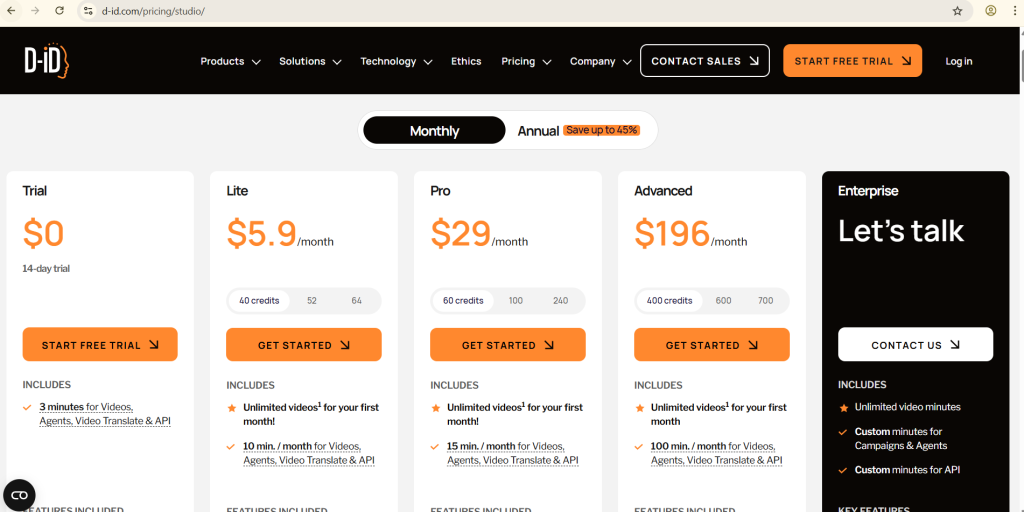
D-ID makes avatars from one photo. It’s fast for last-minute event needs. Turn a selfie into a talking host in minutes.
Using D-ID in Virtual Spaces
Upload an image, add script or voice. The avatar lips move in sync. For events, embed it in streams for live Q&A. It works with Zoom and Teams as a virtual cam.
From this D-ID blog, it’s top for 2025. They highlight Studio for interactive agents. Load docs, and the avatar knows your event details.
A Reddit fan in a tool chat switched to D-ID from pricier ones. It handles scripts well, with good lip-sync.
Pros for Hosts
Free trial, then $5.99 monthly. Great for small teams. Tip: Pair with event apps for polls. Avatar asks questions, shows results.
Users note it’s easy for non-tech folks. One X user shared a metaverse event clip with D-ID avatars walking worlds.
Downside: Less full-body moves. Best for headshots in talks.
Elai.io: Custom Fun for Engaged Audiences

Elai.io focuses on tailored avatars. It blends real and cartoon styles for themed events.
Event Hosting with Elai
Choose avatars, add clothes or backgrounds. Script in text, get video out. For virtual fairs, avatars guide booths.
A 2025 list on AI Journal ranks Elai high for engagement. It automates presentations.
On Reddit, a nocode builder mentioned Elai-like tools for quick ads. Users adapt for event teasers.
Key Features
Multilingual, live hosting ready. Starts at $23 monthly. Tip: Use for sponsor spots—avatars shout out brands lively.
It’s neutral on ethics, sticking to facts. Users say it boosts attendance by 30% with fun clips.
Colossyan: Training and Talk Pros
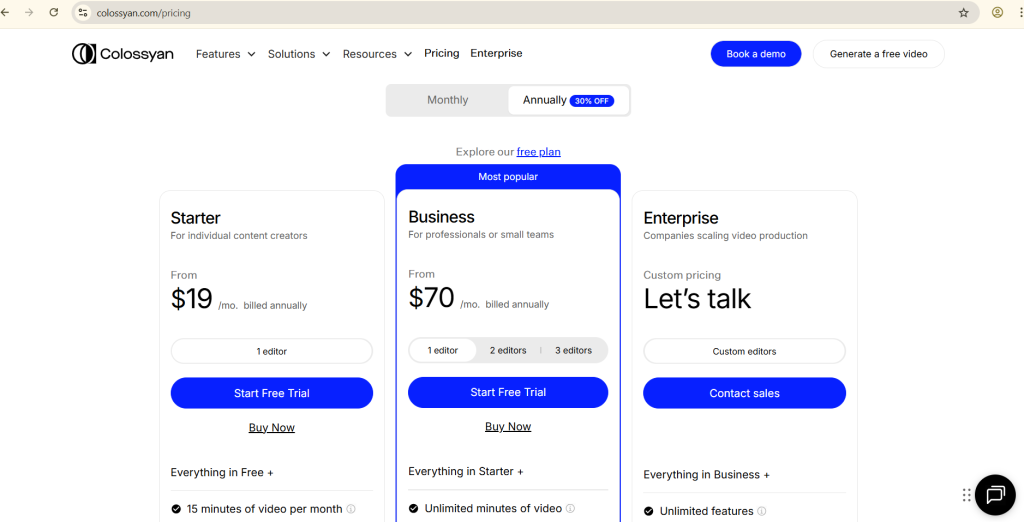
Colossyan turns docs into avatar videos. Great for conference workshops.
Step-by-Step for Events
Upload PPT or PDF. AI makes avatar narrate it. Add quizzes for interactive sessions.
Colossyan’s site calls it top for text-to-speech. Over 150 avatars, 100 languages.
Reddit devs in an agent thread eyed Colossyan for cheap clones.
Why Choose It?
Enterprise safe, starts $19 monthly. Tip: For hybrid events, record sessions with avatars.
Users praise doc integration. One X post linked it to metaverse builds.
DeepBrain AI: Realistic for Global Reach
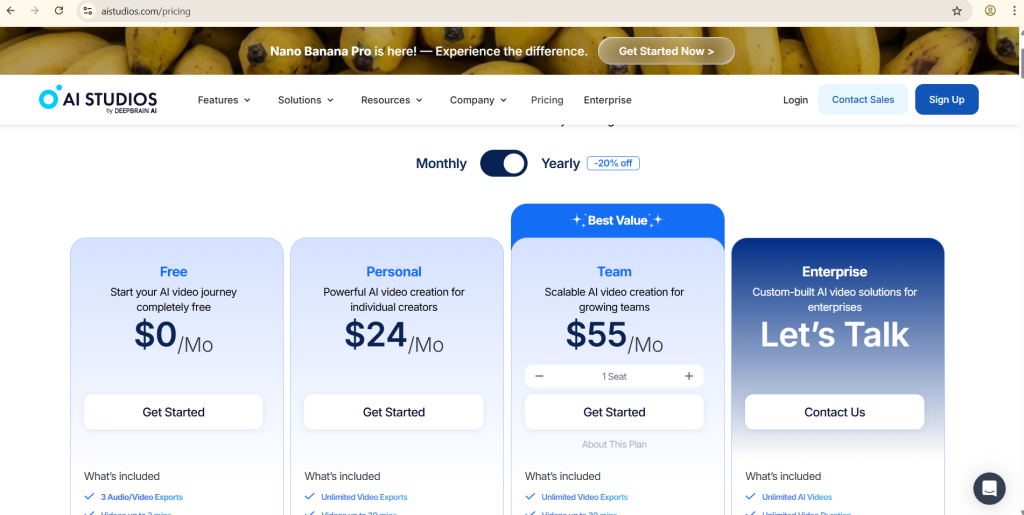
DeepBrain crafts ultra-real avatars. Suits big summits.
Hosting with Depth
From video input, get full-body avatars. They gesture and emote.
A Rank Mystic guide lists it for 2025 realism.
Reddit voice bot talk favors DeepBrain alternatives, but pros note its speed.
Highlights
175 languages, $24 monthly start. Tip: Use for keynotes—avatars feel like celebs.
Integrates with event platforms. Users report higher retention.
Animaze: Animated Vibes for Fun Events
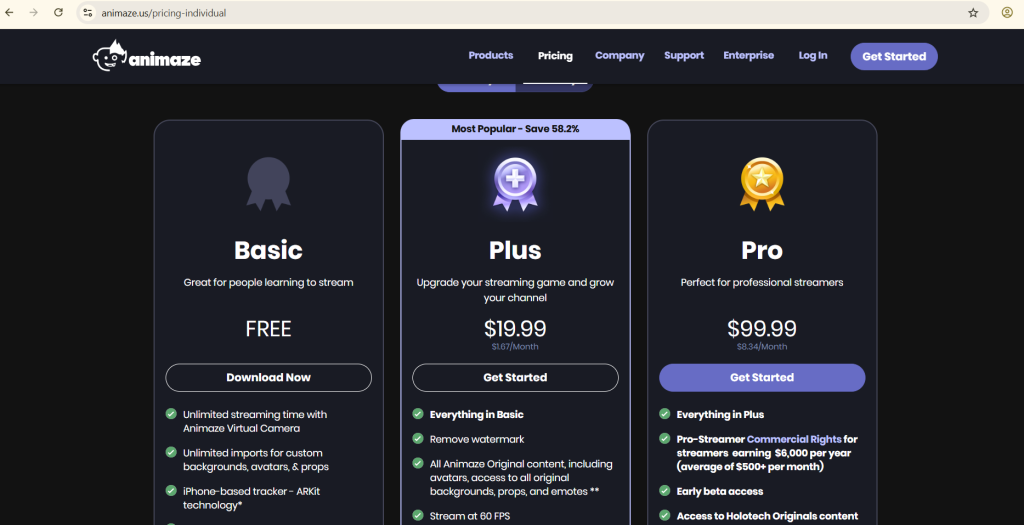
Animaze does cartoon avatars. Perfect for casual online parties.
Bringing Animation to Life
Pick faces, add outfits. Live stream with face tracking.
From AI Journal, it’s top for animation.
A Medium post echoes for branding.
Fun Facts
Free basic, pro $4.99 monthly. Tip: For game cons, avatars play along.
Reddit gamers love it for Twitch ties.
Reals by MetaHuman: Epic Realism

Meta’s Reals makes movie-level avatars. For immersive conferences.
Virtual Worlds with Reals
Build from scans, animate in Unreal. Host in 3D spaces.
AI Journal spots it for metaverses.
X users in Roblox trends link to similar upgrades.
Power Points
Free tools, paid add-ons. Tip: For VR events, pair with headsets.
Users say it’s future-proof.
Vyond AI: Story-Driven Hosts
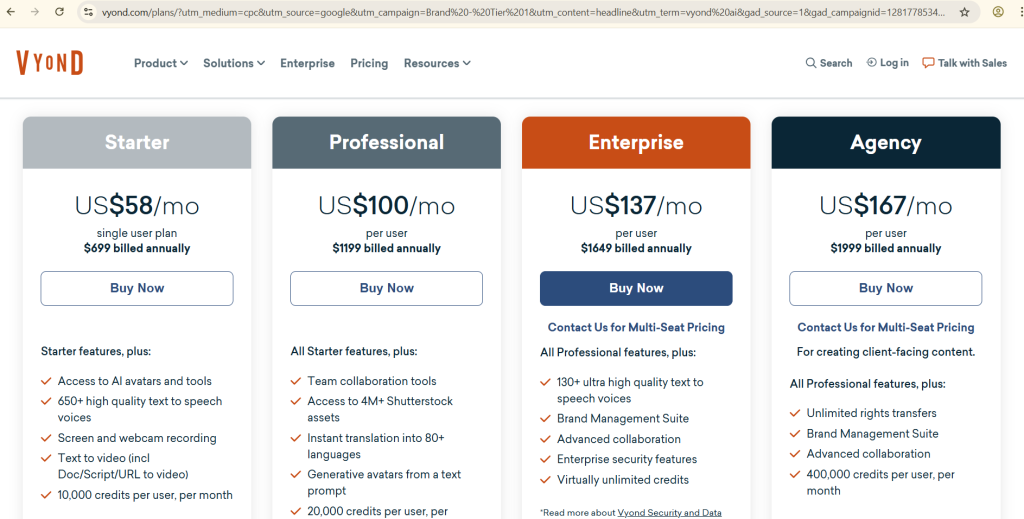
Vyond mixes animation with AI scripts. For narrative events.
Crafting Tales
AI writes stories, avatars act them. Great for launches.
Zavops review rates it high.
Essentials
Starts $25 monthly. Tip: Use for product demos.
Smooth for teams.
Zoom AI Avatars: Built-In Ease
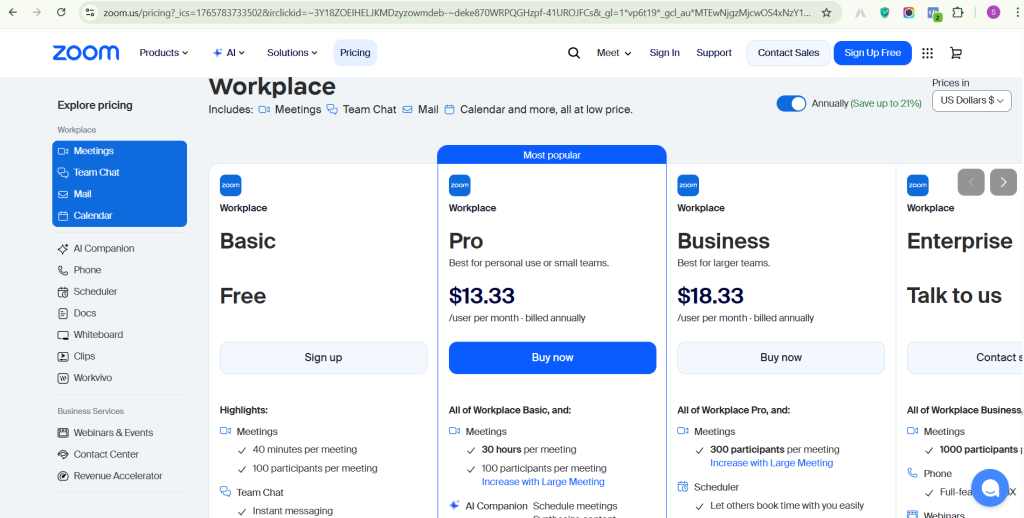
Zoom’s own avatars fit seamless hosting.
Native Integration
Enable in settings, avatar joins calls. No extra apps.
Eventtia blog notes for announcements.
Reddit meeting thread suggests for assistants.
Simple Wins
Free with Zoom Pro. Tip: For quick town halls.
Easy start.
Comparing the Tools: Which Fits Your Event?
| Tool | Best For | Languages | Price Start | Live Ready? |
|---|---|---|---|---|
| HeyGen | Interactive talks | 175 | Free/$29 mo | Yes |
| Synthesia | Pro videos | 140 | $18 mo | No |
| D-ID | Quick clips | 100+ | $5.99 mo | Yes |
| Elai.io | Themed fun | Many | $23 mo | Yes |
| Colossyan | Workshops | 100 | $19 mo | No |
| DeepBrain | Keynotes | 175 | $24 mo | Yes |
| Animaze | Casual parties | Basic | Free/$4.99 | Yes |
| Reals | Immersive 3D | Varies | Free | Yes |
| Vyond | Stories | Many | $25 mo | No |
| Zoom AI | Simple meets | Zoom’s | Free w/Pro | Yes |
This table from 2025 reviews shows picks. HeyGen wins for versatility. Synthesia for polish.
Real User Stories from Social Spots
On Reddit, a creator built event ads with HeyGen. “It wrote scripts auto—saved my weekend,” they said. Another in a singularity chat used Synthesia for family memories, then events.
X buzz includes this metaverse thread. A user cloned to 3D for social worlds. “Hosted a party—guests thought I was there!”
No fresh Facebook hits, but trends mirror. Users adapt for groups.
Tips to Get Started with AI Avatars
Pick a tool matching your crowd. Test free trials. Script short first. Check privacy—good ones like HeyGen guard data.
For smooth runs, practice integrations. Add polls or chats. Track views to tweak.
The Future of Avatars in Events
By 2026, avatars may fully converse. More VR ties, like Roblox events. Tools will get cheaper, smarter.
Events grow inclusive. Avatars break language walls, pull shy folks in.
Wrapping Up: Pick Your Avatar Partner
AI avatars turn virtual events magical. From HeyGen’s chats to Animaze’s fun, options abound. Start small, scale big. Your next event could wow with a digital star.
